FOR STAGE MANAGERS & SOUND OPS
SOUND CUES FOR THEATER
Doorbells, thunder, scene-change music, and curtain calls, organized by act and ready on your iPad. A soundboard built for community theater, school plays, and small productions.
FOR STAGE MANAGERS & SOUND OPS
Doorbells, thunder, scene-change music, and curtain calls, organized by act and ready on your iPad. A soundboard built for community theater, school plays, and small productions.
The controls you reach for when the stage manager calls "Sound cue 14, GO."
Keep each production on its own board, with groups for Act 1, Act 2, Pre-show, and Intermission.
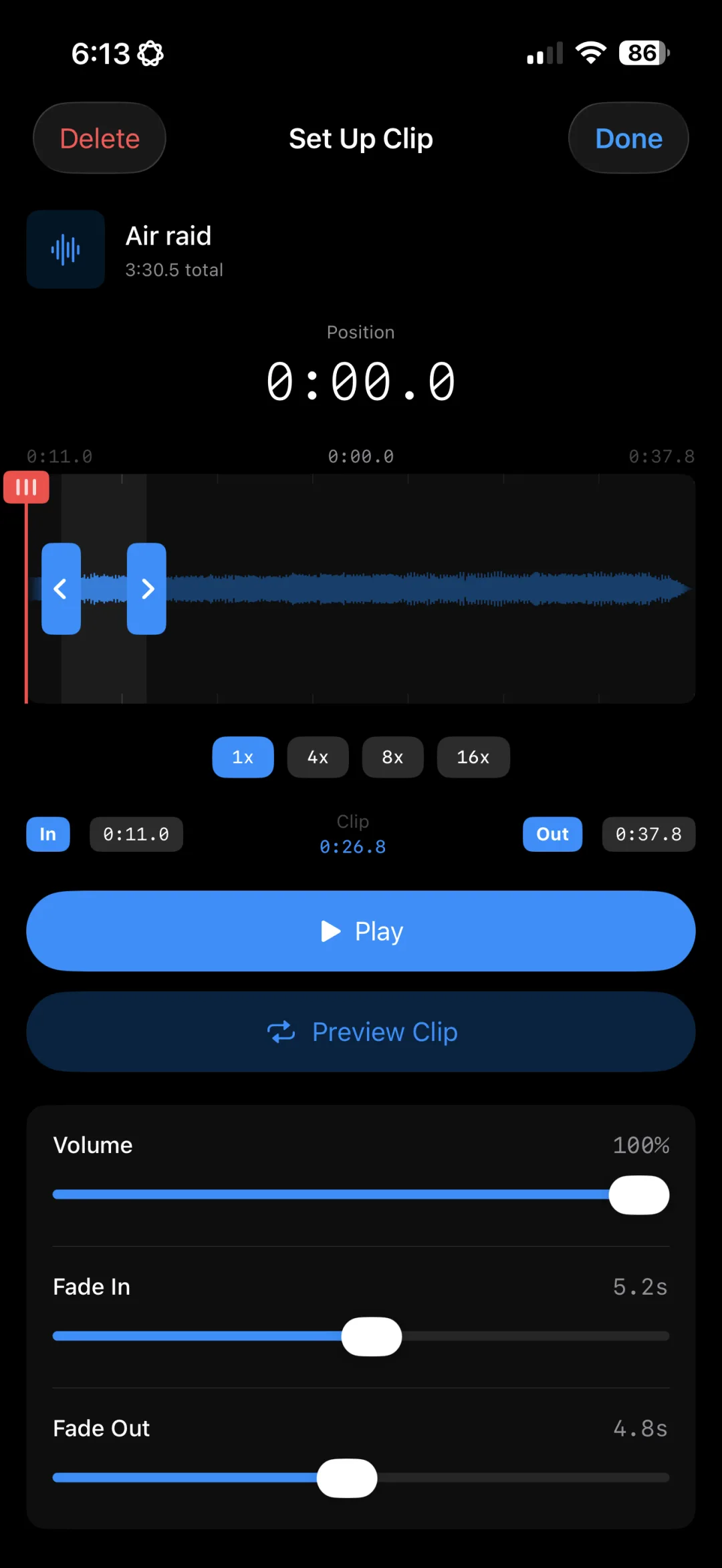
Start a track exactly on the downbeat and stop before the fade you don't want, with a zoomable waveform editor.
Give each cue its own fade-in and fade-out, or tap again to fade a cue out gracefully instead of cutting it.
Loop rain, crickets, or crowd walla under a scene for as long as it runs, then fade it out on cue.
Set a scene-change cue to stop everything else first, so leftover ambience never bleeds into the next scene.
Build a multi-track Composition that plays a door slam, then footsteps, then a car start, all from one tap (Pro).
From script to tech rehearsal.
Import each effect and music cue, and name buttons to match your cue sheet, like "Q14 Thunder."
Use groups as tabs along the bottom for Pre-show, Act 1, Intermission, Act 2, and Curtain Call.
Set cue points, levels, fades, and loops at tech, and choose what a second tap does: stop, fade out, pause, or restart.
Patch your iPad into the house board and run cues by tapping. The playback bar shows what's live and gives you Stop All and Fade All when you need a quick out.
Ultimate Soundboard Pro works like a cart machine: every cue is a button you can fire in any order. That suits community theater, school productions, improv, and shows where cues get called out of order or skipped.
If your production needs a strictly linear GO-button cue stack with MIDI or OSC show control, a dedicated show-control application is a better fit. Many sound ops keep both: the show-control system for the main stack and a soundboard on an iPad for spot effects and backup.
Yes. Every cue is its own button, so you can jump to any cue instantly. That makes it handy for improv, rehearsals, and shows where the order changes.
You choose per cue: stop it, fade it out, pause it, or restart it from the top.
Yes. The playback bar has Stop All and Fade Out All controls for whatever is currently playing.
Yes. Ultimate Soundboard Pro runs on iPad and iPhone (iOS 17 or later). On iPad you get a larger 4-column grid that's easy to hit in a dark booth.
The app is free to download with 1 board and up to 8 buttons. Pro unlocks unlimited boards and buttons, multi-track Compositions, mic recording, Apple Music, iCloud sync, and removes ads for $29.99/year or a one-time $49.99 lifetime purchase.
Download free and build your first show file tonight.
Download on the App StoreFree download. Pro is $29.99/year or $49.99 lifetime.