FOR WORSHIP & MINISTRY TEAMS
A CHURCH SOUNDBOARD VOLUNTEERS LOVE
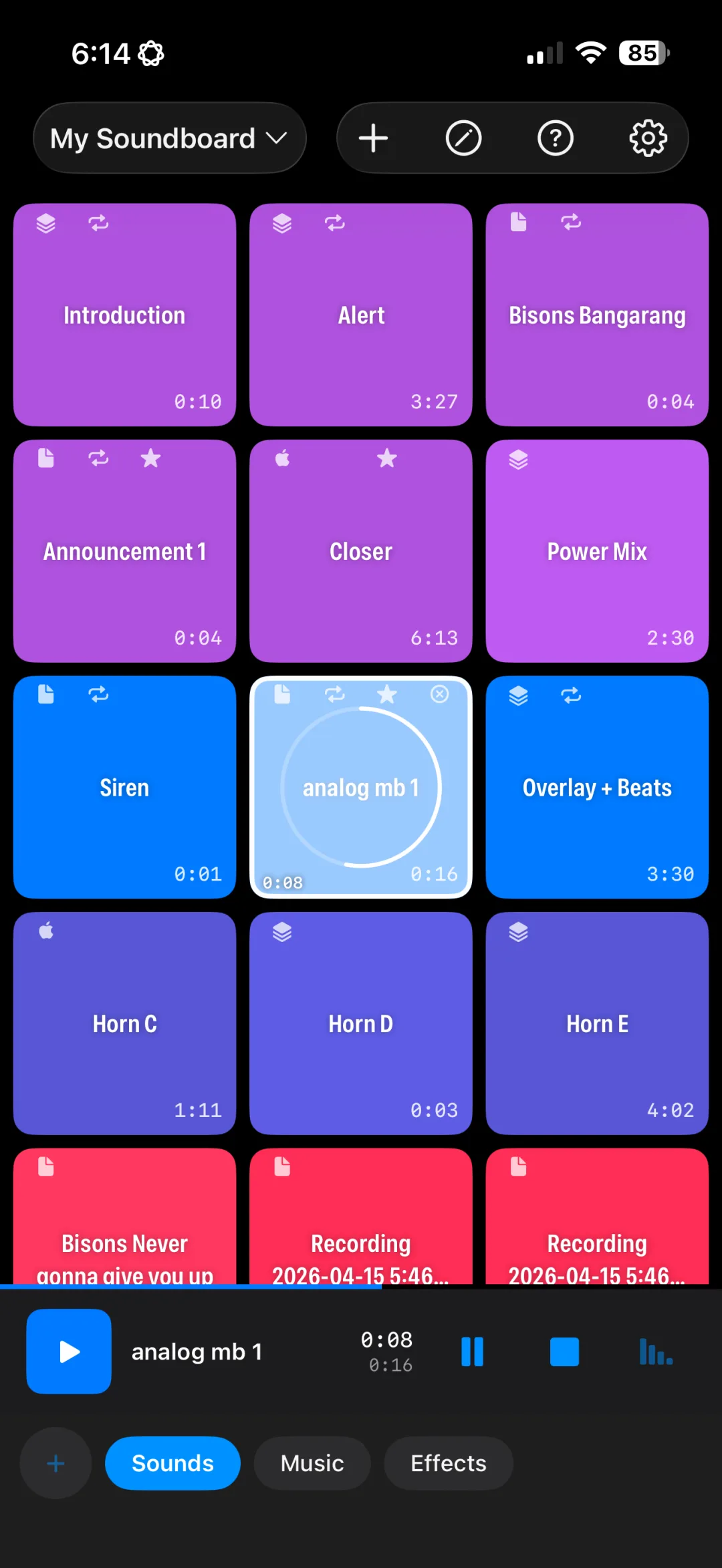
Pre-service music, countdown audio, transition pads, and kids ministry sounds, laid out as big, color-coded buttons any volunteer can run on a Sunday morning.
FOR WORSHIP & MINISTRY TEAMS
Pre-service music, countdown audio, transition pads, and kids ministry sounds, laid out as big, color-coded buttons any volunteer can run on a Sunday morning.
Set it up once. Anyone on the team can run it.
Big buttons with colors and images make it obvious which sound is which, even for a first-time volunteer.
Separate boards for Sunday service, youth group, VBS, and special events, each with its own groups.
Fade walk-in music down when the service starts instead of cutting it off mid-song.
Loop an ambient pad under prayer or communion and fade it out when the moment ends.
Build boards on one device and have them ready on the church iPad through iCloud sync (Pro).
Music keeps playing if you switch apps to check the order of service.
One person builds the board. The whole team can run it.
Add walk-in playlists, countdown tracks, pads, and kids ministry songs from Files, iCloud Drive, Dropbox, or Google Drive.
Create tabs for Pre-service, Worship, Message, and Dismissal so volunteers can follow along.
Balance levels per button and add fades so transitions feel smooth.
Connect the iPad to the sound desk. Volunteers just tap the next color.
Yes. Each sound is a large, labeled, color-coded button. Tap to play, tap again to stop or fade, and edit mode is separate so nobody rearranges your board by accident.
Yes. Create a separate board for each ministry so everyone has their own setup without cluttering Sunday's board.
Apple Music is licensed for personal listening, so for public performance you should use audio you have the rights to play (your own recordings, licensed music, royalty-free libraries, or music covered by your venue's performance license). Import those files into the app like any other sound.
The app is free to download with 1 board and up to 8 buttons. Pro unlocks unlimited boards and buttons, multi-track Compositions, mic recording, Apple Music, iCloud sync, and removes ads for $29.99/year or a one-time $49.99 lifetime purchase.
Download free and build your first service board.
Download on the App StoreFree download. Pro is $29.99/year or $49.99 lifetime.