YOUR SOUNDS. YOUR BOARDS. ONE TAP AWAY.
Create custom soundboards with colorful buttons, trigger audio instantly, and compose multi-track masterpieces. Free for iOS.
A professional soundboard built for creators, performers, and anyone who needs instant audio at their fingertips.
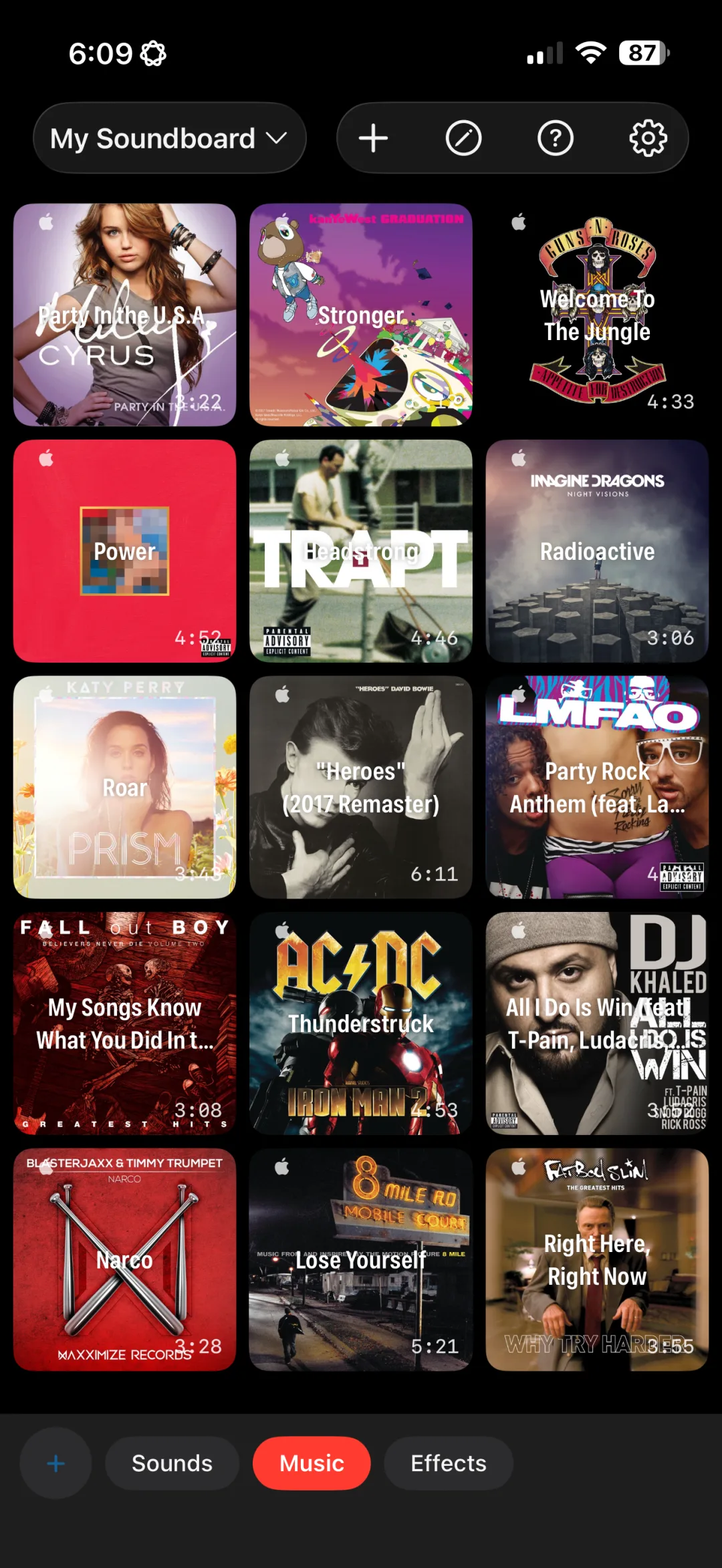
Create multiple boards for different occasions. Organize buttons into color-coded tabbed groups. Switch instantly with a tap.
One tap triggers any sound. Toggle, stop others, or layer simultaneously. Buttons pulse and glow in sync with audio.
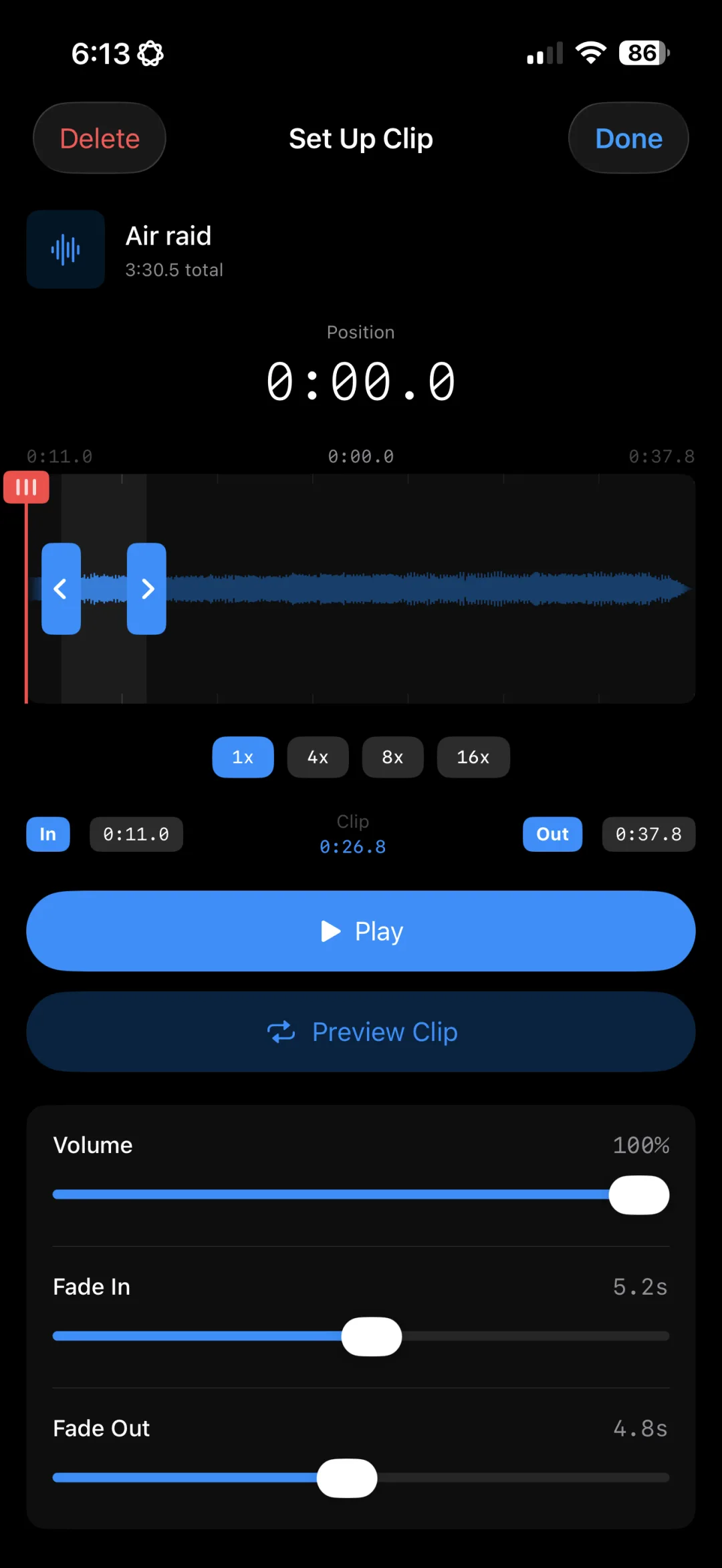
Set precise cue points, scrub the playhead, zoom up to 16x, and add fade effects. Visual editing for perfect clips.
Your boards, buttons, and audio sync across all your devices automatically. Set up once, use everywhere.
Start simple with single sounds, or go deep with multi-track compositions.
One button, one sound
Assign a single audio file or Apple Music track to any button. Set your cue points, apply fades, and tap to play. Perfect for sound effects, DJ drops, and quick triggers.
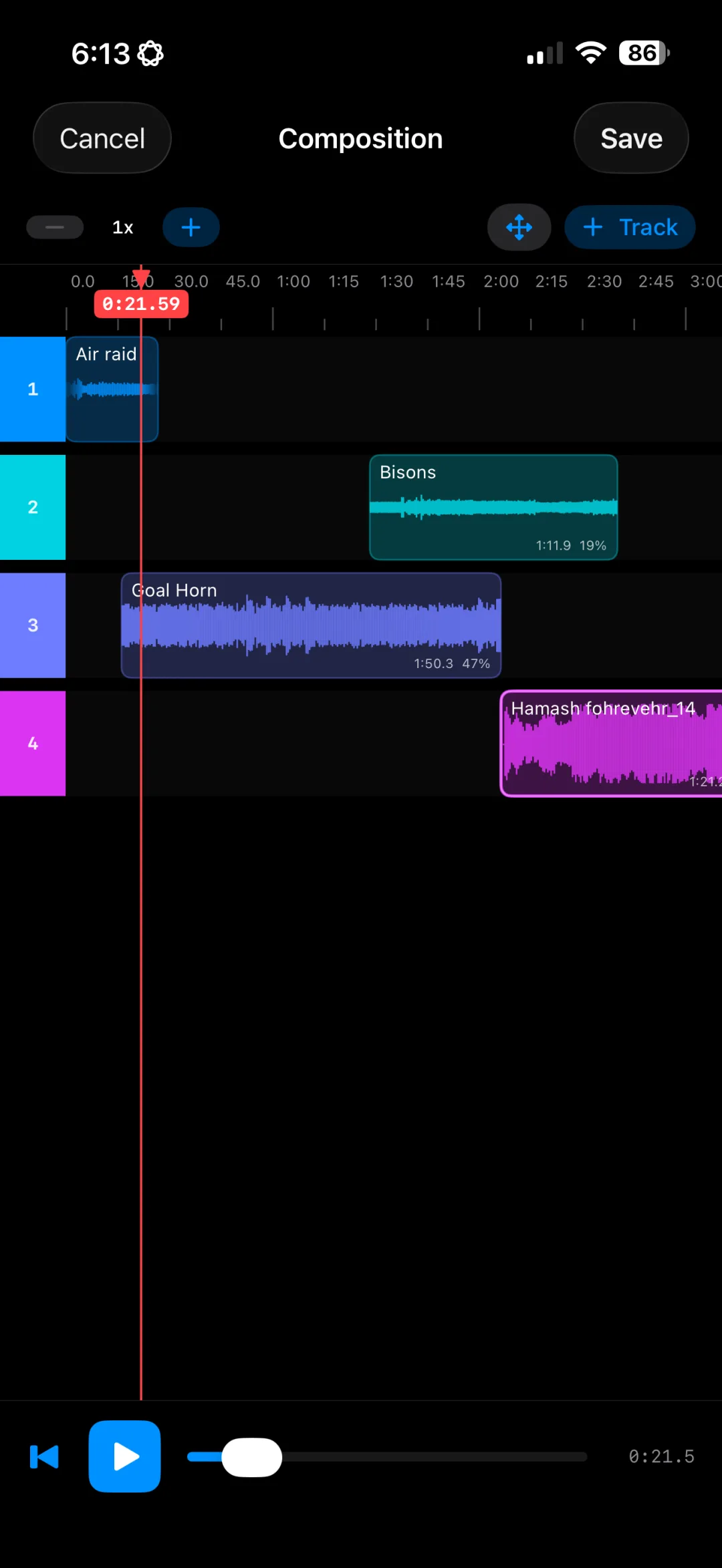
Layer multiple tracks on a single button with timeline sequencing. Set start times, apply per-track fades, and build complex audio compositions that fire with one tap.
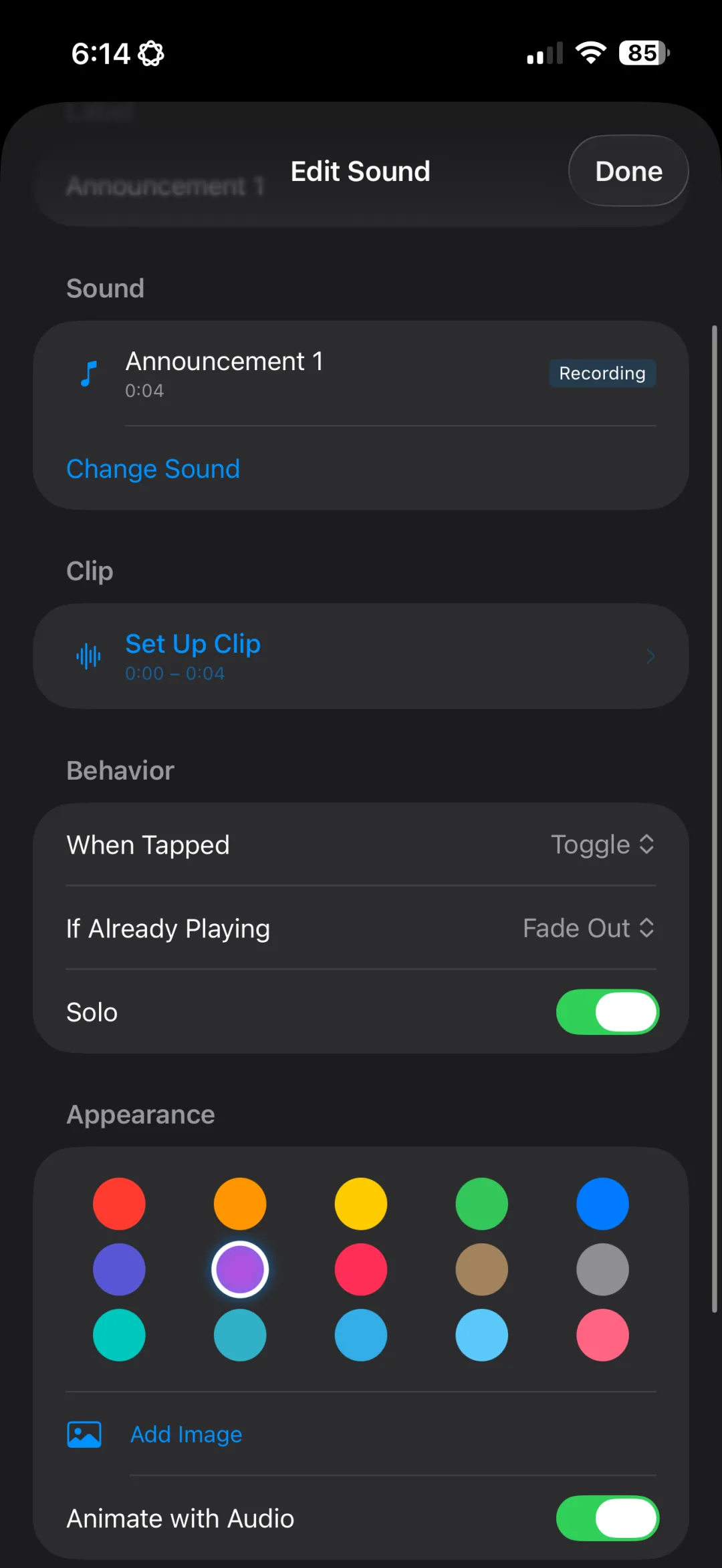
Configure exactly how every button behaves when tapped, when already playing, and how it interacts with other sounds.
Mute all other buttons while this one plays, and they resume when it stops. Perfect for announcements, featured tracks, or moments that demand the spotlight.
Customize every button with colors, images, and live playback visuals.
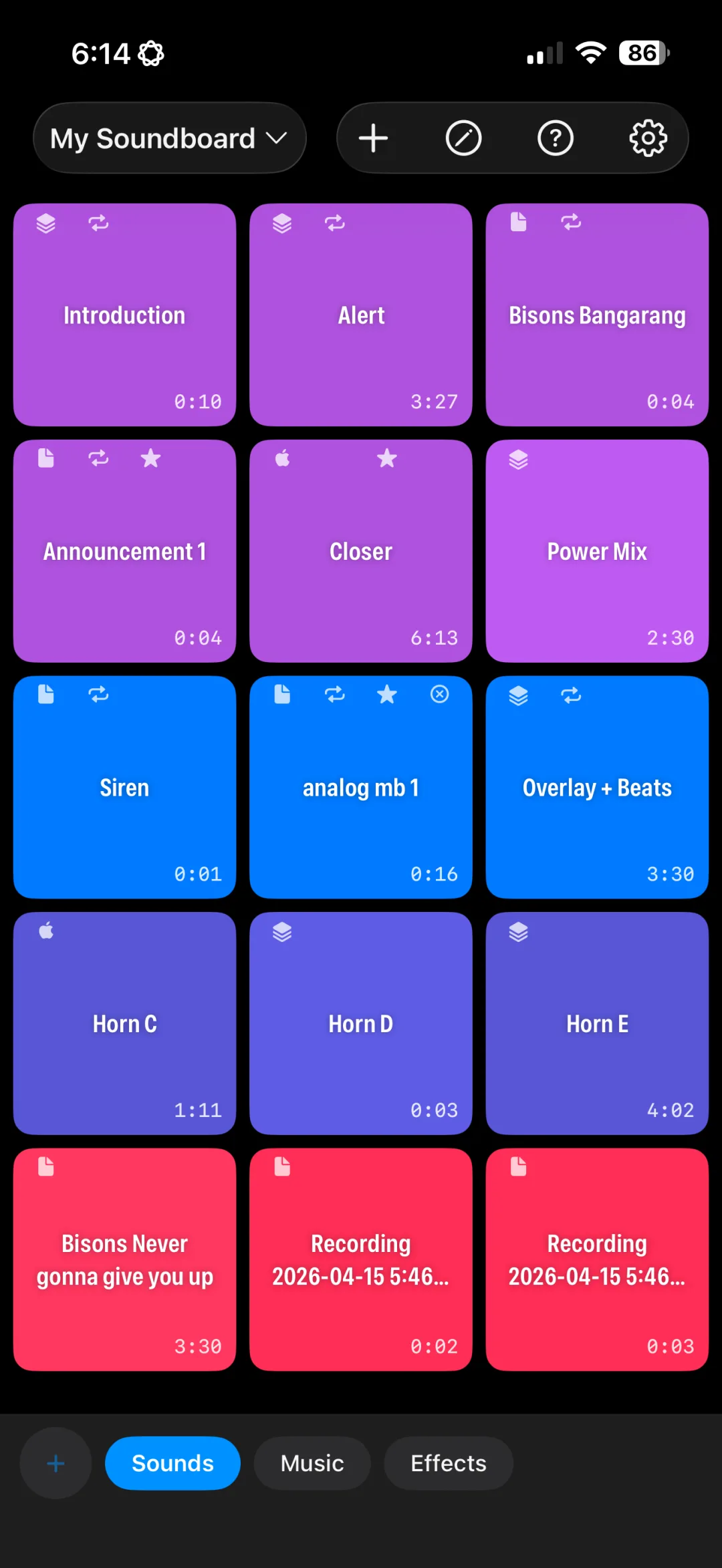
Assign vibrant colors to make buttons visually distinct. Spot every sound at a glance.
Set any photo as a button background. Album artwork is applied automatically for Apple Music tracks.
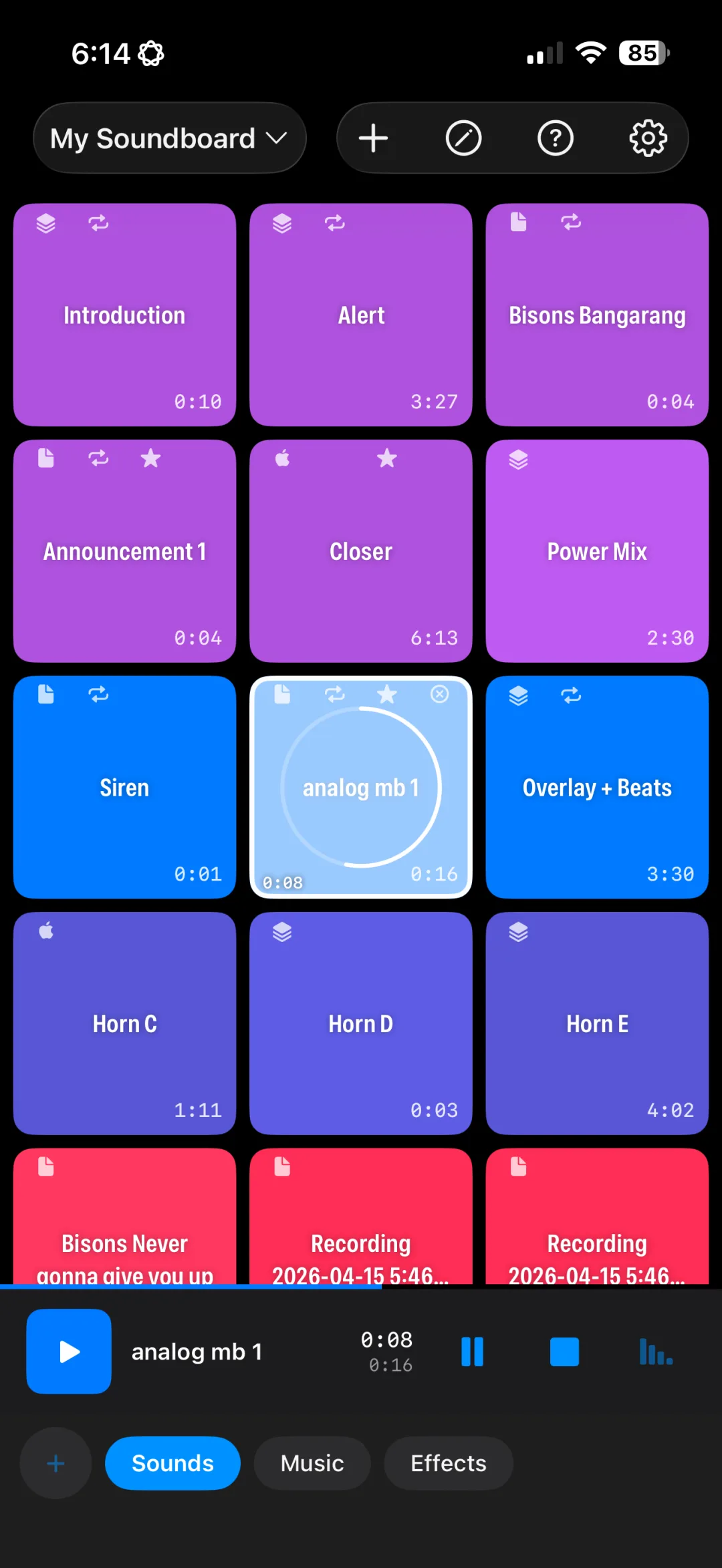
Buttons pulse with a glow effect in sync with audio amplitude. A progress ring fills around the edge during playback.
Small indicators show source type, loop, solo, and stop-others at a glance. Duration badge in the corner of each button.
Enter edit mode and buttons wiggle like rearranging apps. Long-press and drag to new positions in the grid.
Shows progress, artwork, and elapsed time for active sounds. Pause all, stop all, or fade out everything at once.
Import from anywhere. Record on the spot. Search millions of songs.
MP3, WAV, AAC, M4A, AIFF, and more. Metadata is extracted automatically from file tags.
Google Drive, Dropbox, OneDrive, and more. Install the cloud app and it appears as a source automatically.
Record directly with your microphone. Real-time level meter. Saved and ready to use instantly. PRO
Search 100M+ songs by title, artist, or album. Artwork auto-applied as button background. PRO
Whether you need a simple sound effects pad or a multi-track composition engine, Ultimate Soundboard Pro adapts to your workflow.
Trigger sound effects, stingers, and transitions during livestreams and recordings. Keep your audience engaged with perfectly timed audio.
Build layered compositions, trigger samples, and mix audio on the fly. Composition mode gives you multi-track control from your phone.
Add audio to presentations, trigger sound cues during events, and keep things engaging with perfectly timed soundscapes.
A powerful soundboard, professional audio editing, and smart organization, all in your pocket.
Colorful buttons with group tabs. Tap any button to play instantly.
Glow effects, progress rings, and the playback bar in action.
Visual waveform with cue points, zoom, and fade controls.
Multi-track timeline with staggered clips and per-track controls.
Search 100M+ songs. Album artwork applied as button backgrounds.
Wiggle mode with drag-to-reorder, just like rearranging apps.
Ultimate Soundboard Pro integrates with Apple Music so you can search the entire catalog, import from your playlists, and assign any song to any button, all without leaving the app.
Apple Music subscription optional. Local audio files (MP3, M4A, WAV, AIFF) always work for free.
Three steps to your perfect soundboard
Add a new board, drop in some buttons, and organize them into groups. Customize colors and layouts to match your workflow.
Import audio files or search Apple Music. Trim clips, set start points, and add fade effects with the waveform editor.
One tap plays any sound instantly. Loop it, solo it, duck other tracks. Full control at your fingertips.
Get started free. Upgrade when you're ready for more.
| FEATURE | FREE | PRO |
|---|---|---|
| Boards | 1 | Unlimited |
| Buttons per board | 8 | Unlimited |
| Simple sounds | ✓ | ✓ |
| Import from Files / Cloud | ✓ | ✓ |
| Background audio | ✓ | ✓ |
| Compositions (multi-track) | — | ✓ |
| Microphone recording | — | ✓ |
| Apple Music integration | — | ✓ |
| iCloud sync across devices | — | ✓ |
| Board export | — | ✓ |
| Ad-free | — | ✓ |
$29.99/year or $49.99 lifetime (one-time purchase)
Upgrade to ProEverything you need to know about Ultimate Soundboard Pro.
Yes. The app is free to download and use. The free tier includes 1 board with up to 8 buttons. The optional Pro tier unlocks unlimited boards, unlimited buttons, and advanced Composition Mode, available as an annual subscription ($29.99/year) or a one-time lifetime purchase ($49.99).
Composition Mode is an advanced Pro feature that lets you layer multiple audio tracks on a single button. Think of it as a mini DAW inside your soundboard. You can sequence tracks on a timeline, set start times, apply per-track fades, and create complex audio compositions that all trigger with a single tap.
No. Apple Music integration gives you access to millions of songs, but it's completely optional. You can import your own local audio files (MP3, M4A, WAV, AIFF) and use the app without any subscription at all.
Absolutely. Import MP3, M4A, WAV, and AIFF files directly into the app. You can then trim clips, set cue points, and add fade effects with the built-in visual waveform editor to get every sound exactly right.
Ultimate Soundboard Pro requires iOS 17 or later and runs on iPhone and iPad. Your boards, buttons, and settings sync across all your devices via iCloud, so you can set up on one device and play from another.
Yes. We don't collect personal data, track your activity, or sell your information. Your soundboard configurations are stored locally on your device and synced privately via iCloud. Read our full privacy policy for details.
Download Ultimate Soundboard Pro for free and start creating. Your sounds, your way.
Download on the App Store