FOR PODCASTERS & LIVESTREAMERS
THE PODCAST SOUNDBOARD APP
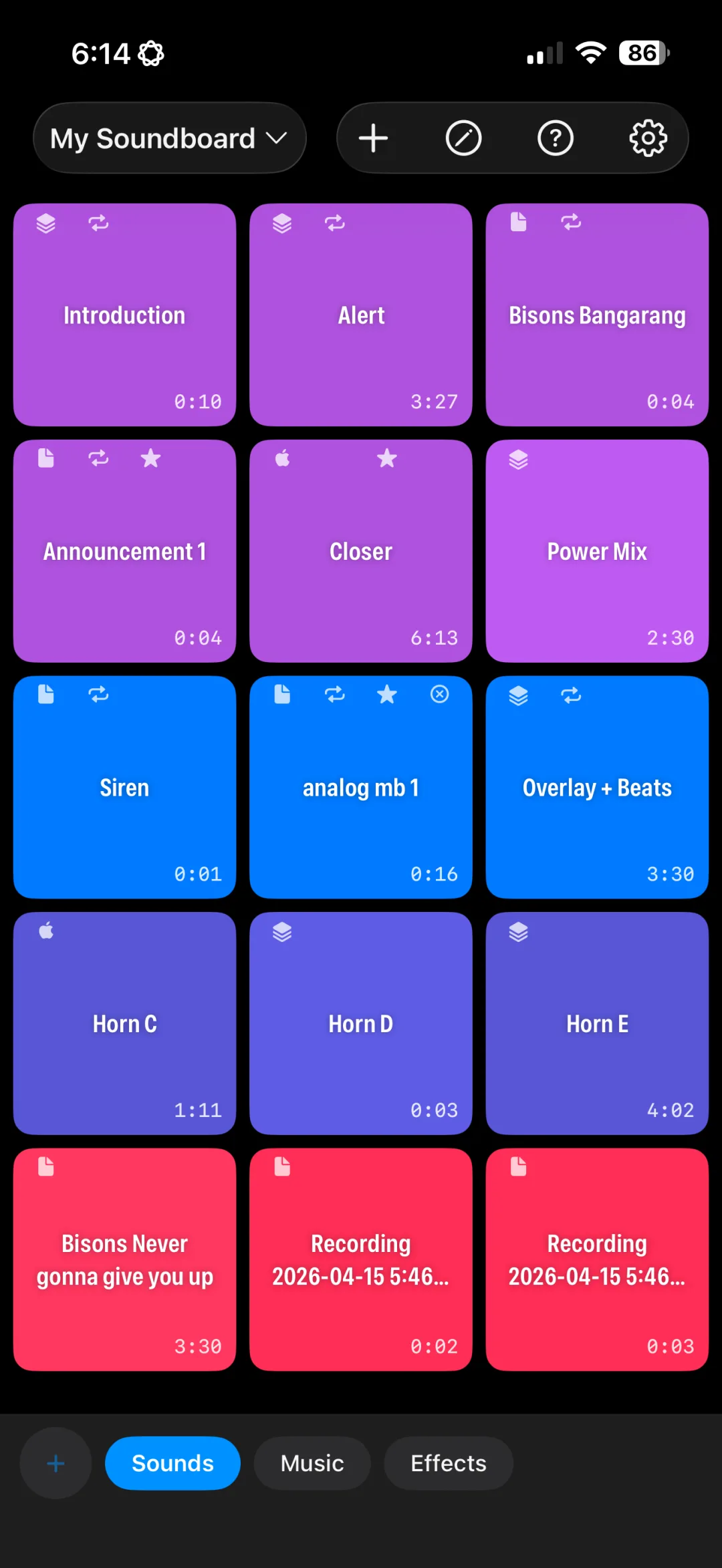
Fire your intro music, stingers, transitions, and sponsor beds live while you record, so there's less to fix in post. Built on a low-latency audio engine for iPhone and iPad.
FOR PODCASTERS & LIVESTREAMERS
Fire your intro music, stingers, transitions, and sponsor beds live while you record, so there's less to fix in post. Built on a low-latency audio engine for iPhone and iPad.
Build a board for each show, and keep every segment one tap away.
Low-latency playback means your stinger lands exactly when the joke does, not half a second later.
Set in and out points on a zoomable waveform so only the part you want plays. No more scrubbing through a 3-minute track live.
Fade intro music in and out automatically. Solo Mode mutes everything else while a sound plays, then brings it back.
Layer a voice tag over a music bed on a multi-track timeline, then trigger the whole intro with one tap (Pro).
Record a quick drop or a guest's catchphrase with your mic and it becomes a button instantly (Pro).
Separate boards for each podcast, with groups like Intros, Stingers, Ads, and Outros along the bottom.
Most hosts are ready in under ten minutes.
Pull your theme music, stingers, and ad reads from Files, iCloud Drive, Dropbox, or Google Drive. Audio is copied into the app, so it still works if you move the originals.
Open each clip in the waveform editor, set cue points, and add a fade-in or fade-out so nothing starts or stops abruptly.
Create groups for Intro, Segments, Ads, and Outro, and color-code buttons so you can find them without reading.
Connect your iPhone or iPad to your interface or mixer with a cable or USB audio adapter, and play live while you record.
Connect your iPhone or iPad to a spare input on your mixer or audio interface (a headphone-out cable or a USB audio adapter both work). Sounds you trigger then go straight into your recording alongside your mics.
Yes. Set a button to Play Simultaneously to layer it on top of whatever is playing, or build a multi-track Composition to pre-mix the layers into a single button (Pro).
Yes. Background audio is included in the free version, so you can check notes or a run sheet without cutting off your music.
The app is free to download with 1 board and up to 8 buttons. Pro unlocks unlimited boards and buttons, multi-track Compositions, mic recording, Apple Music, iCloud sync, and removes ads for $29.99/year or a one-time $49.99 lifetime purchase.
Download free and build your first show board today.
Download on the App StoreFree download. Pro is $29.99/year or $49.99 lifetime.